



what it does
Understanding your costs
Where does your money actually go? Which costs are essential, and which could you live without? Opisio helps you answer both. Hand it a bank statement and it recognises your costs automatically. Describe each one in as much detail as you like, split your income the way that works for you, and see clearly which costs weigh most on your budget. Then decide what stays, what changes and what goes.
latest updates
all updates →features
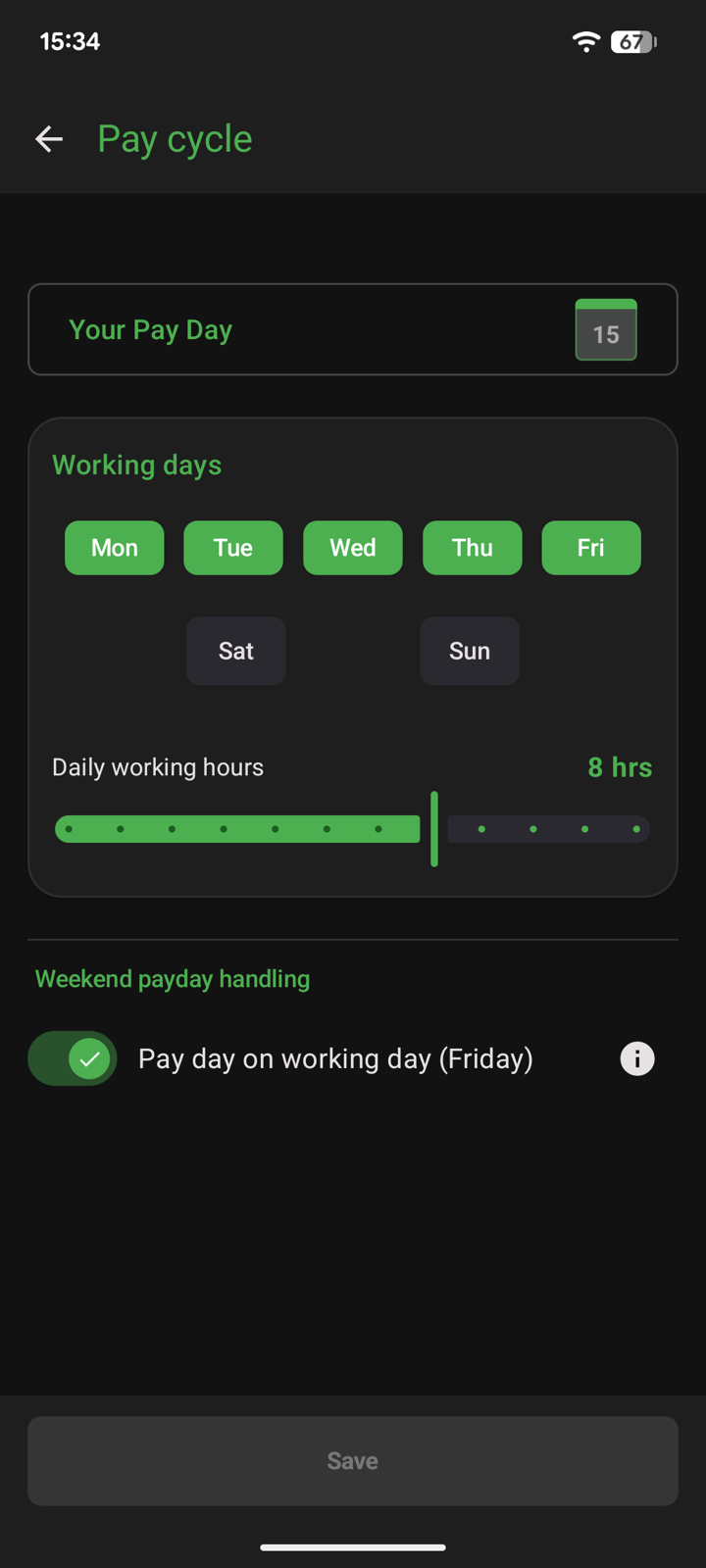
Built around your pay cycle
Set your pay day, working days and daily hours. If pay day falls on a weekend, Opisio can move it to the Friday before, like most employers do.
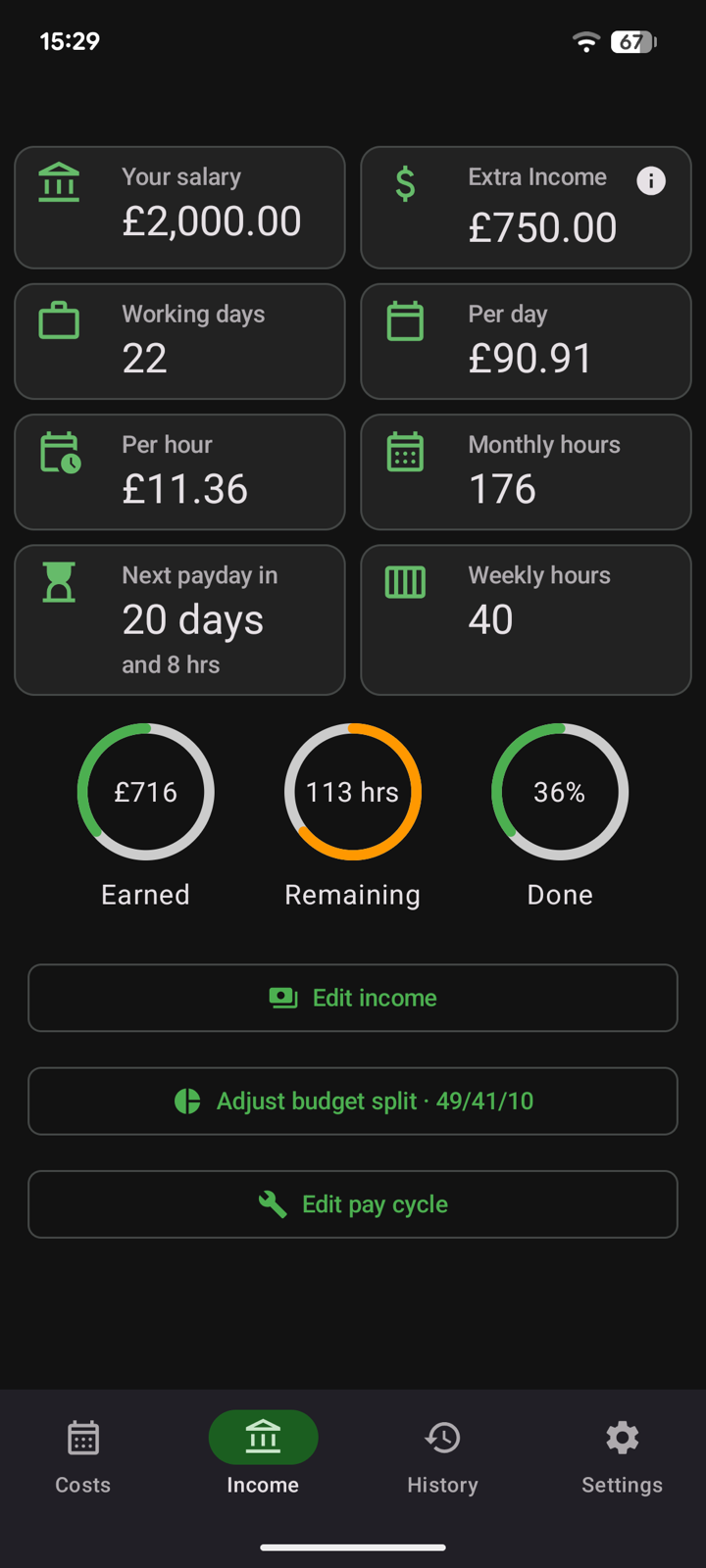
Your salary, broken down
Salary per day and per hour, monthly and weekly hours, and a countdown to your next pay day — plus how much you've already earned this cycle and how much is still to go.
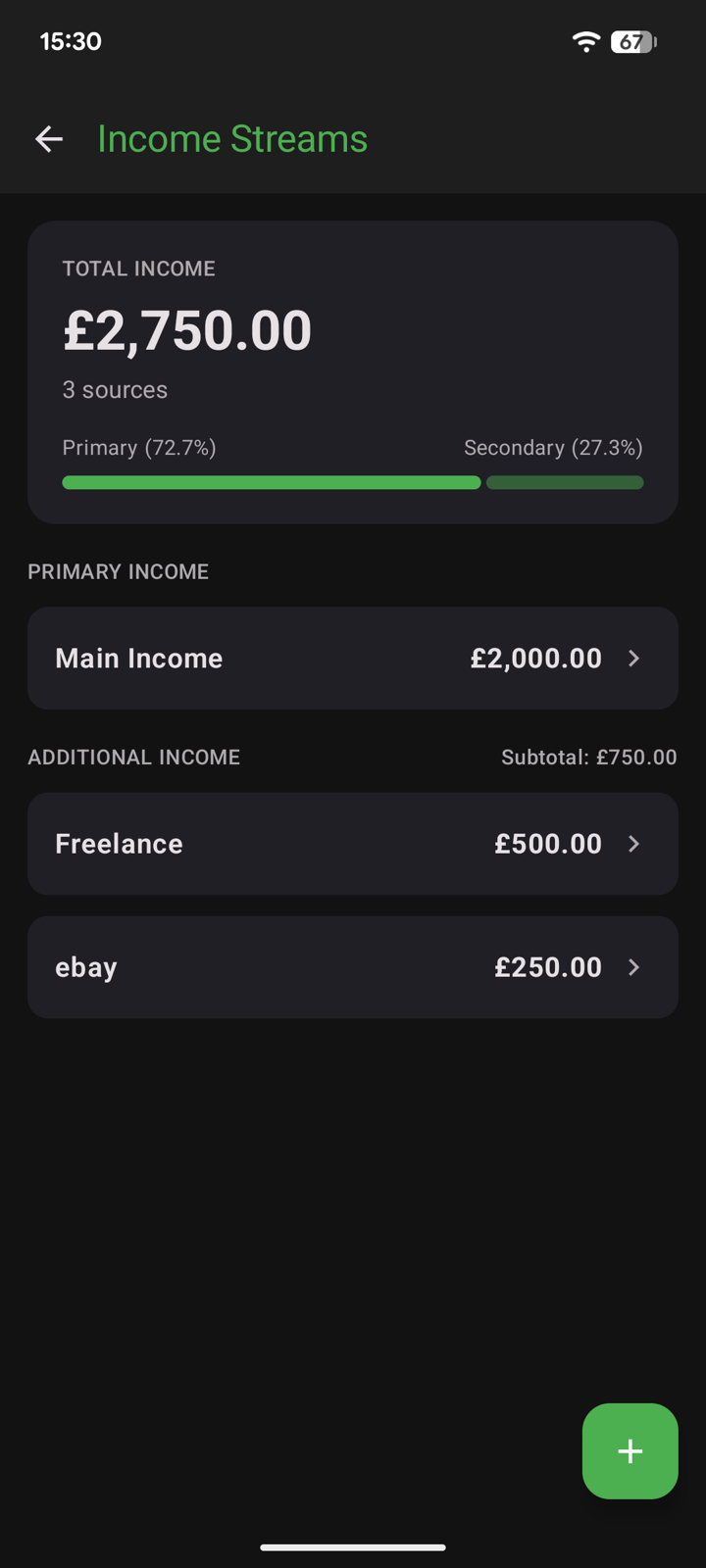
More than one income
Add named side incomes — freelance work, selling online, rent — next to your main salary and see how much each one contributes to your total.
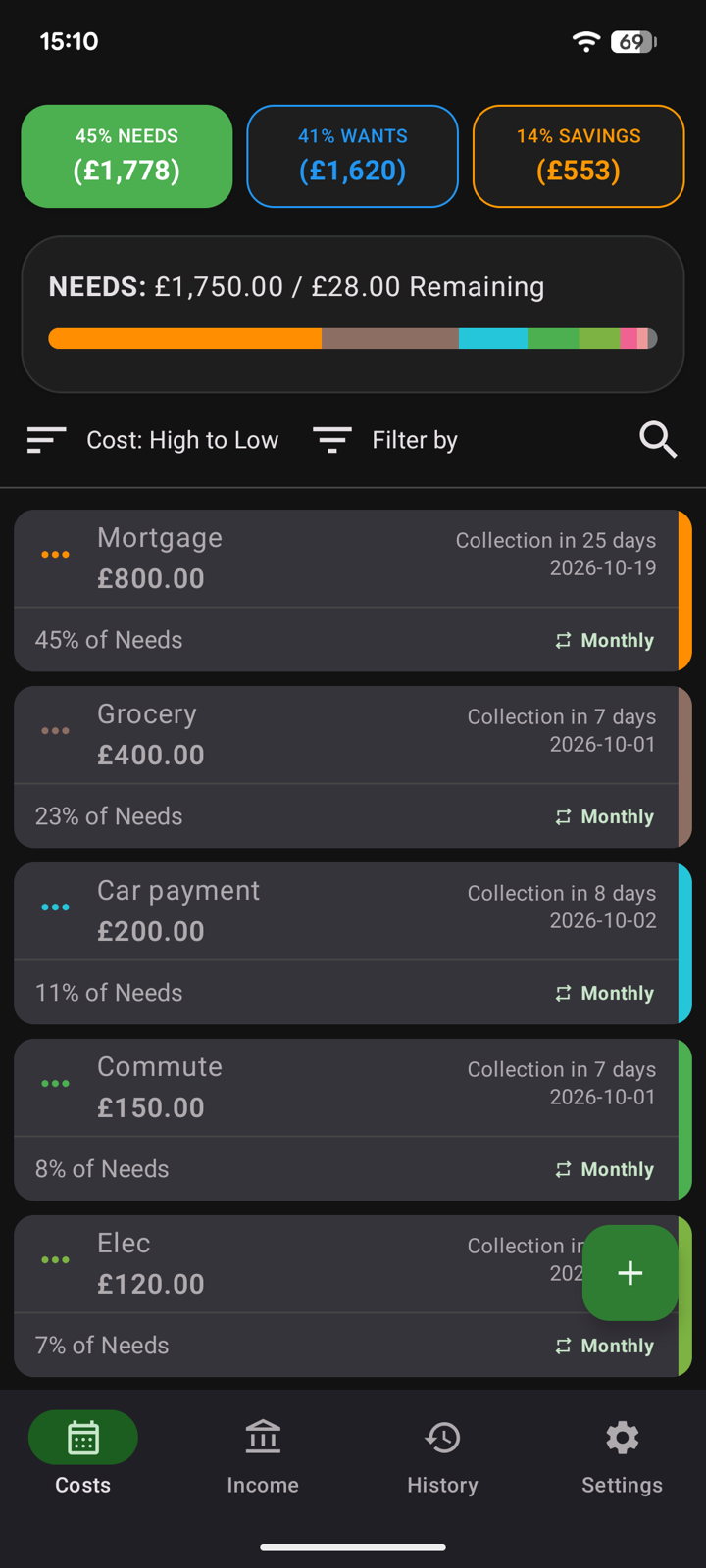
Needs, Wants and Savings at a glance
Every cost sits in one of three budget slices. The top bar shows how much of each slice you've used and what's remaining; sort, filter or search the list, and see when each bill is next collected.
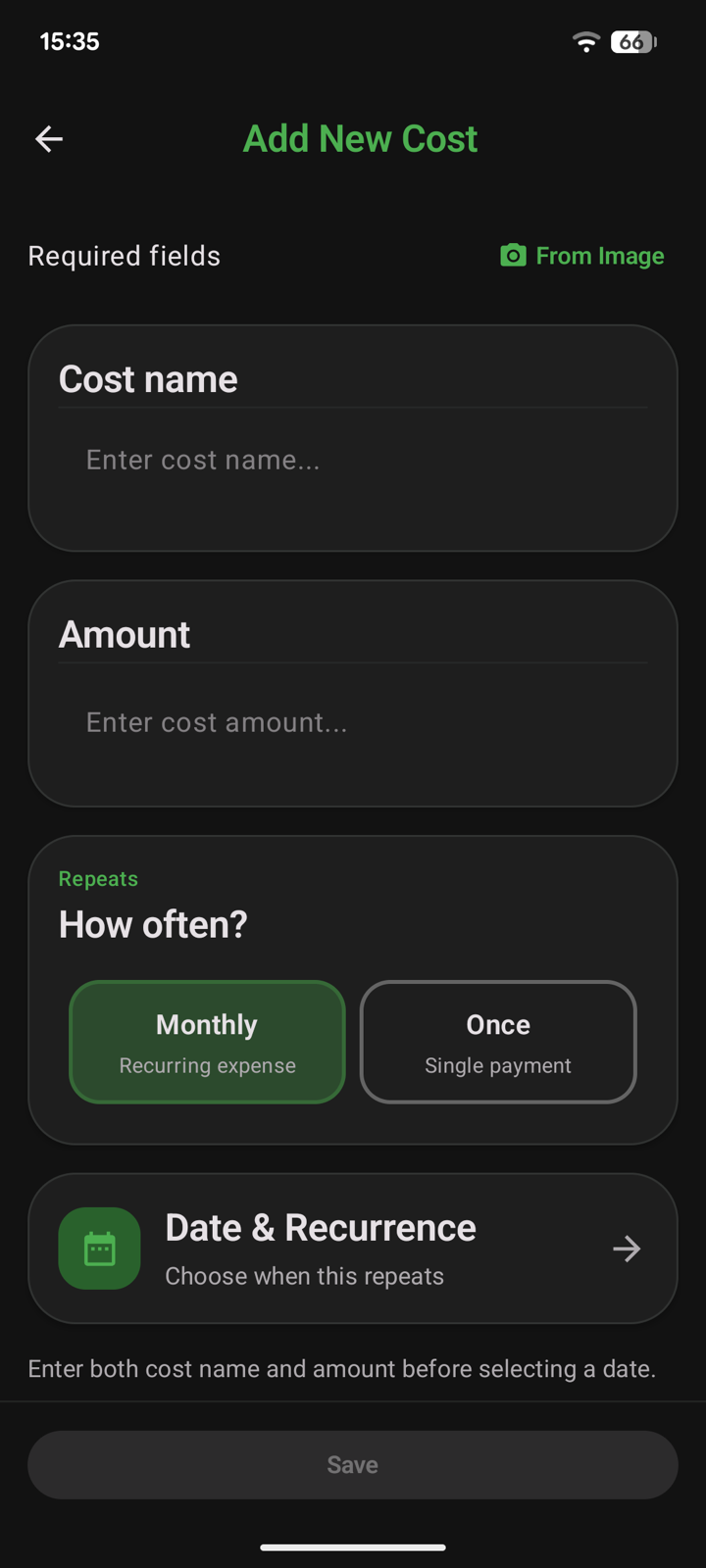
Add a cost in seconds
Give it a name and amount, pick monthly or one-off, and choose the collection date. You can also fill it in from a photo of a bill or receipt.
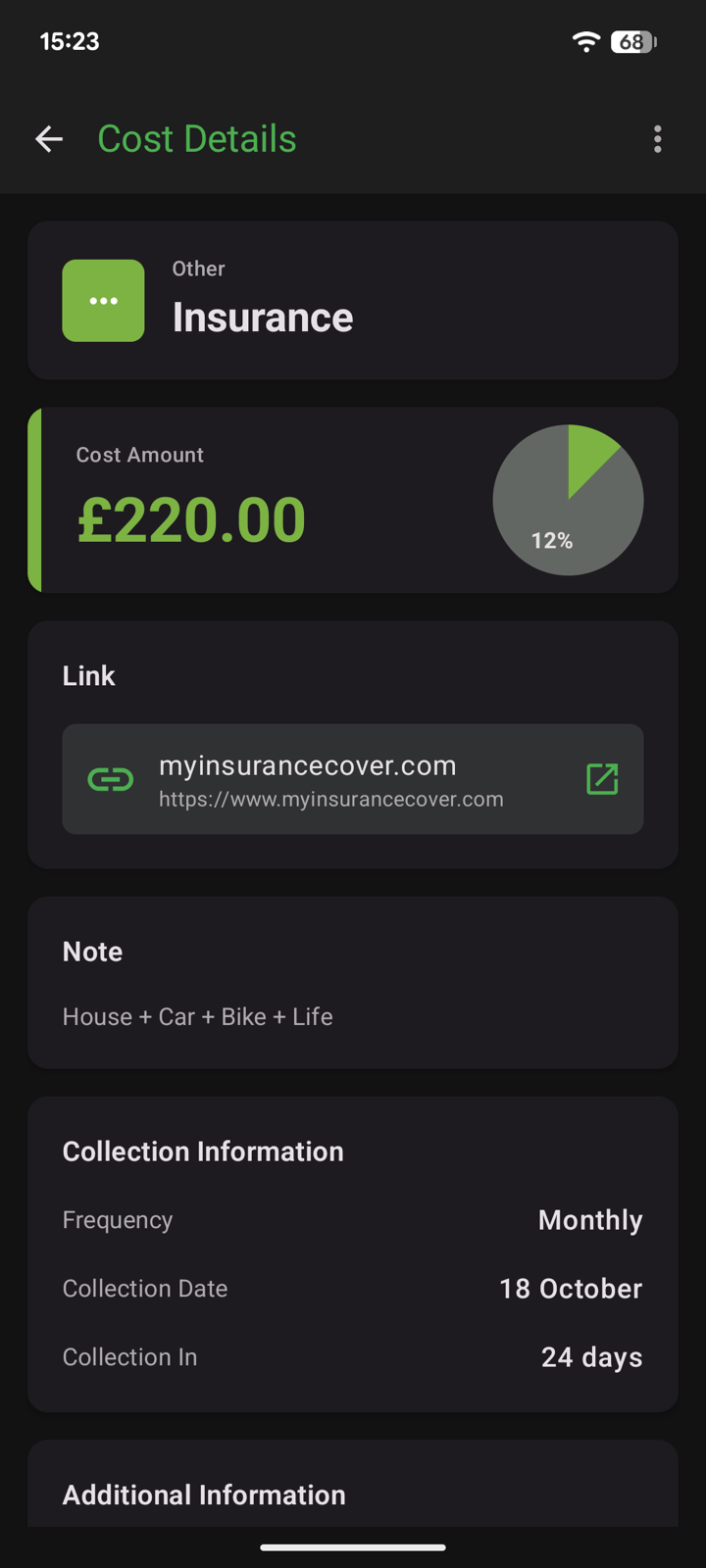
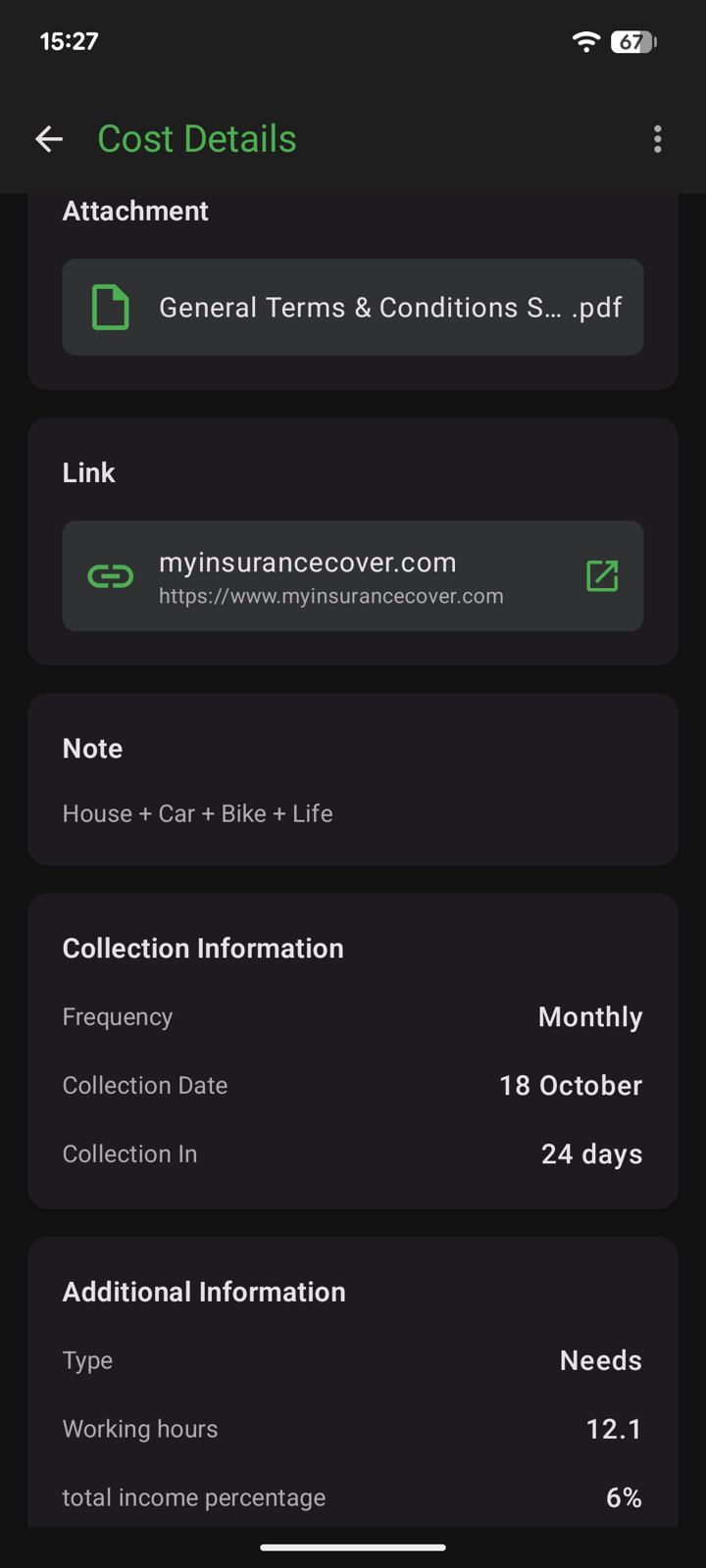
Everything about a bill in one place
Attach the contract PDF, save a link to the provider's site and add a note. Each cost shows its share of your budget and of your total income, and how many working hours it costs you.
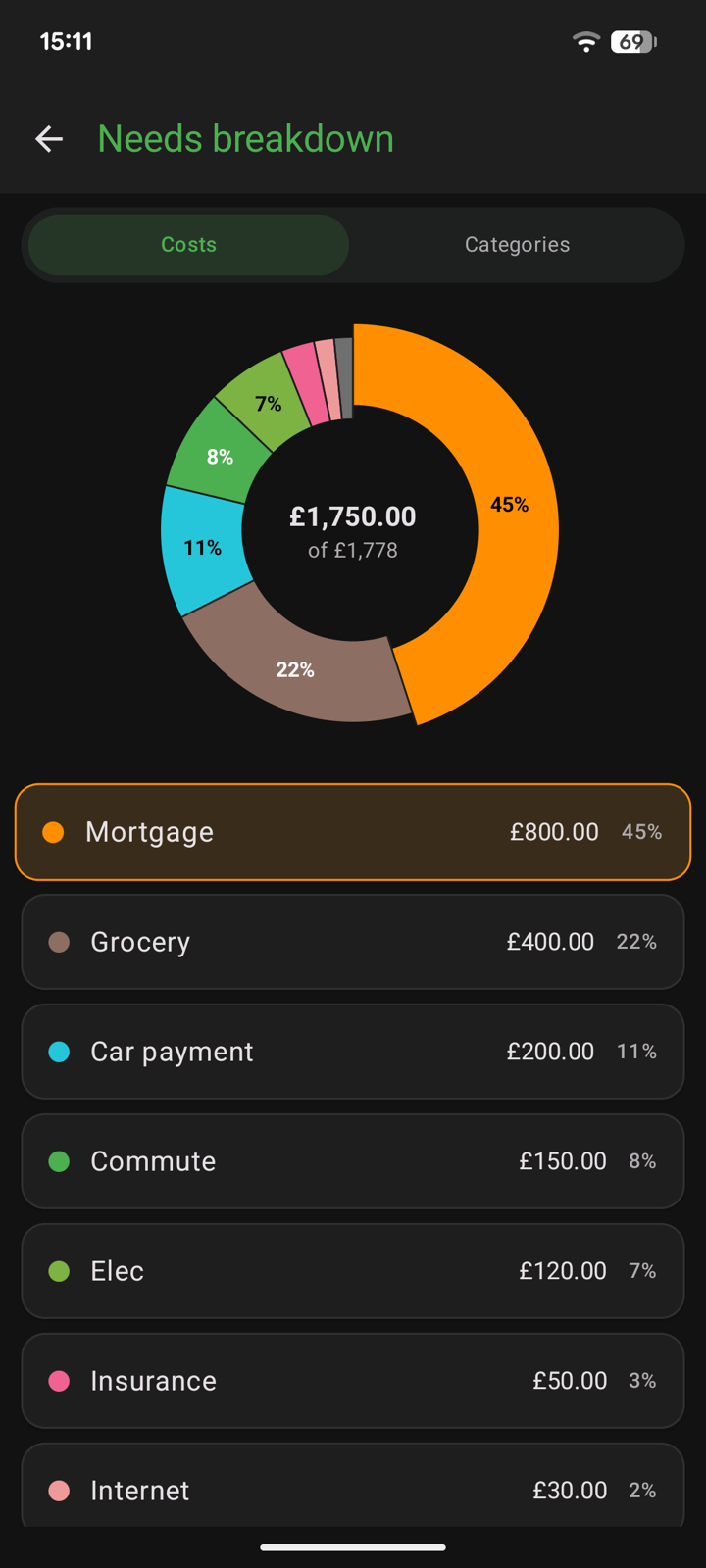
See where the money goes
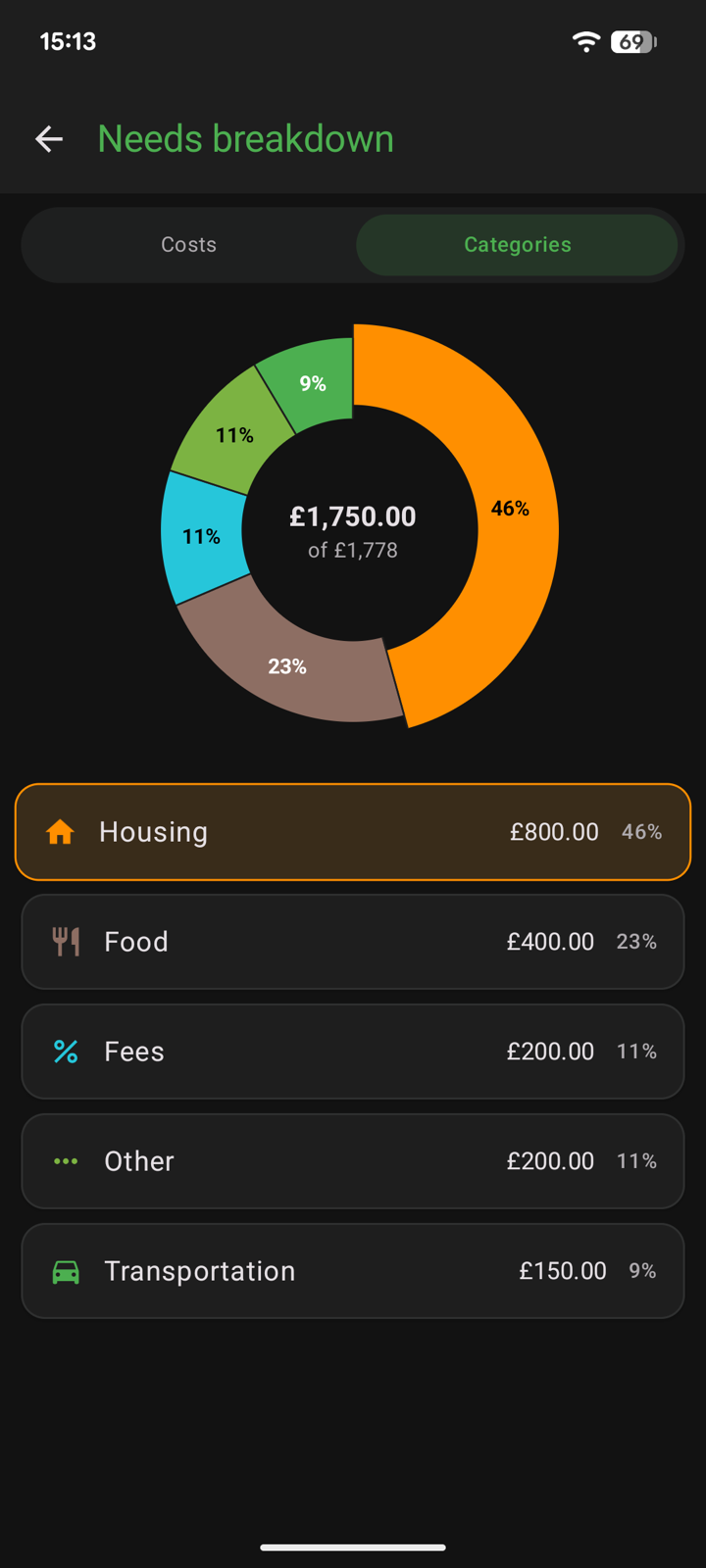
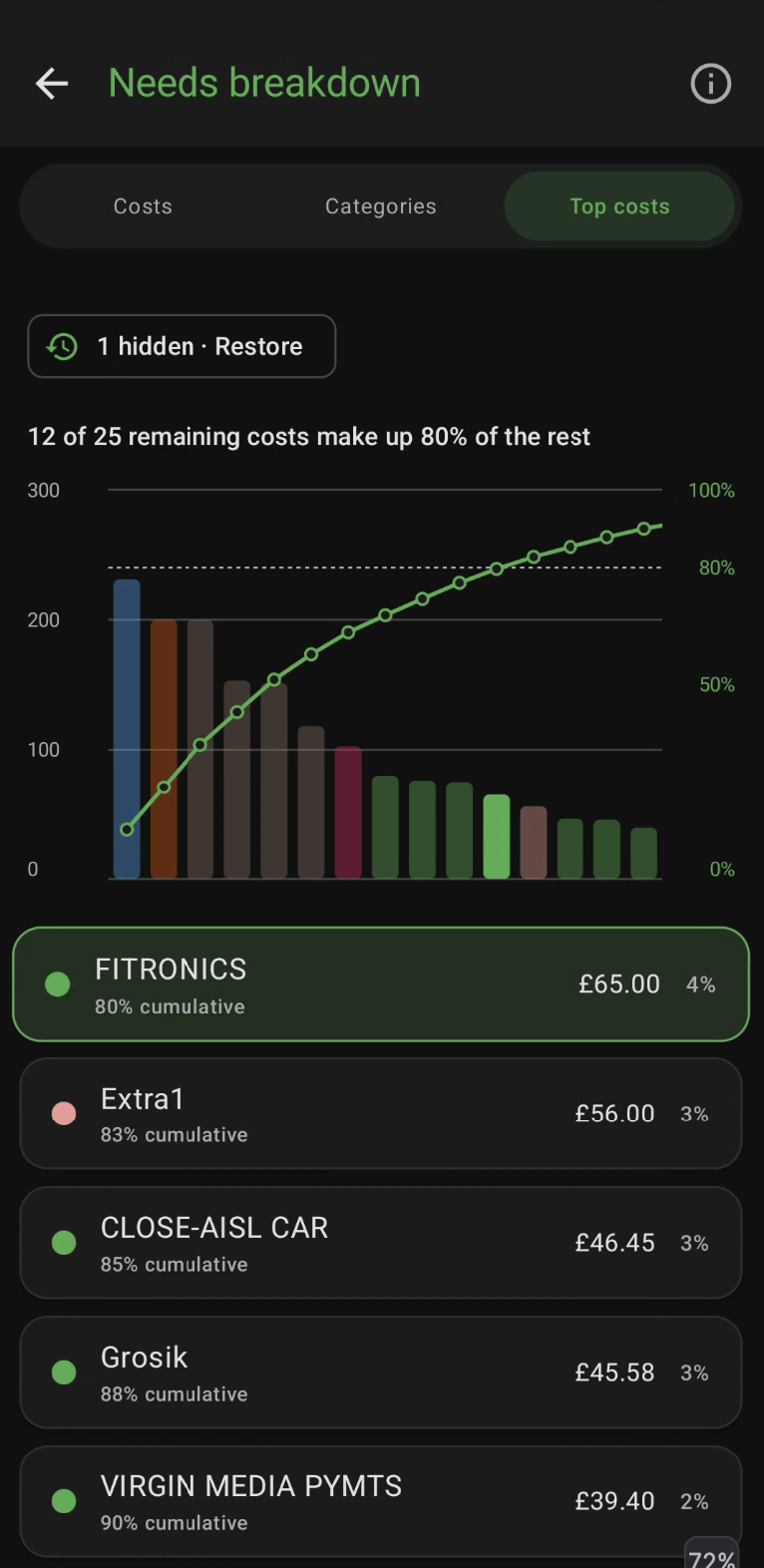
A breakdown chart for each slice, by individual cost or grouped into categories such as Housing, Food and Transportation. Top costs ranks every cost from biggest to smallest and shows how many make up 80% of the total.
Your own budget split
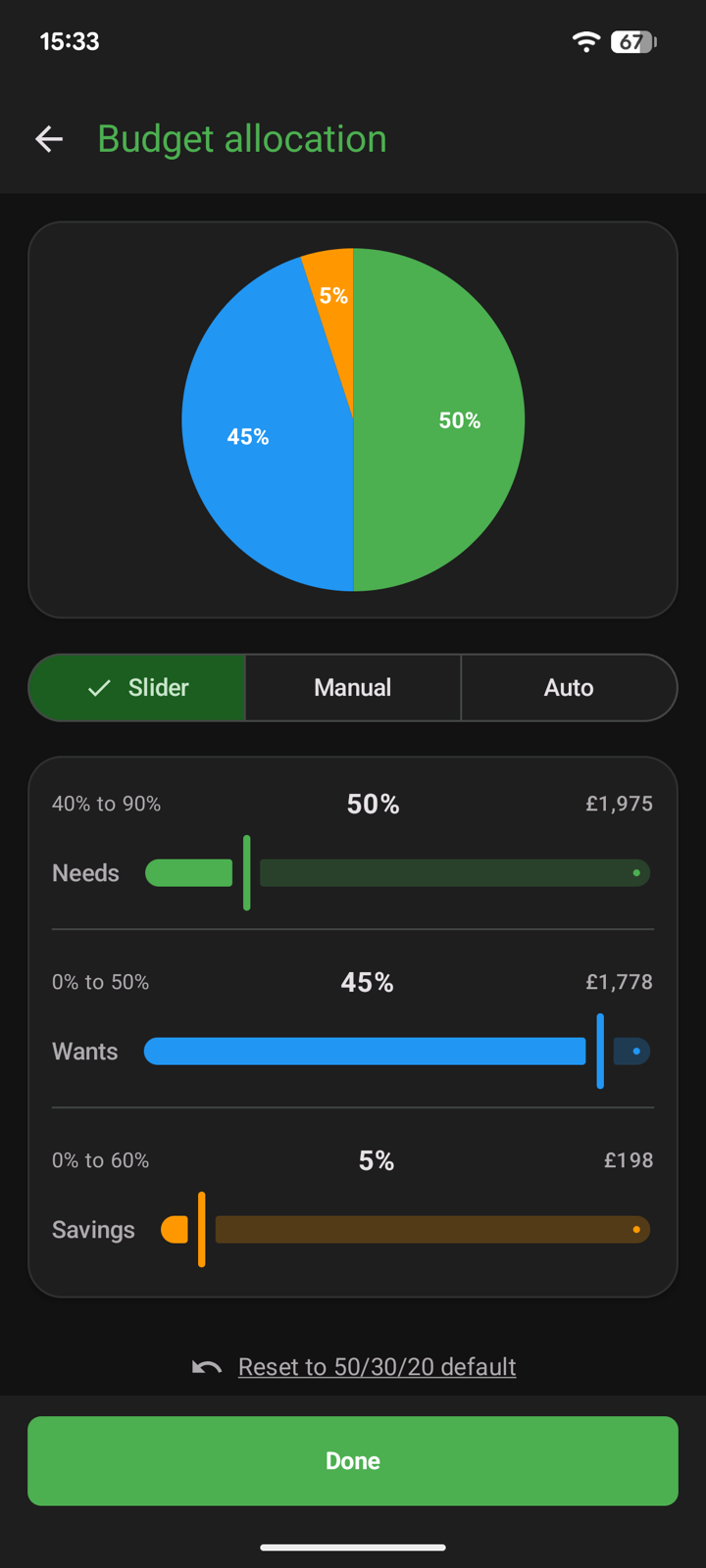
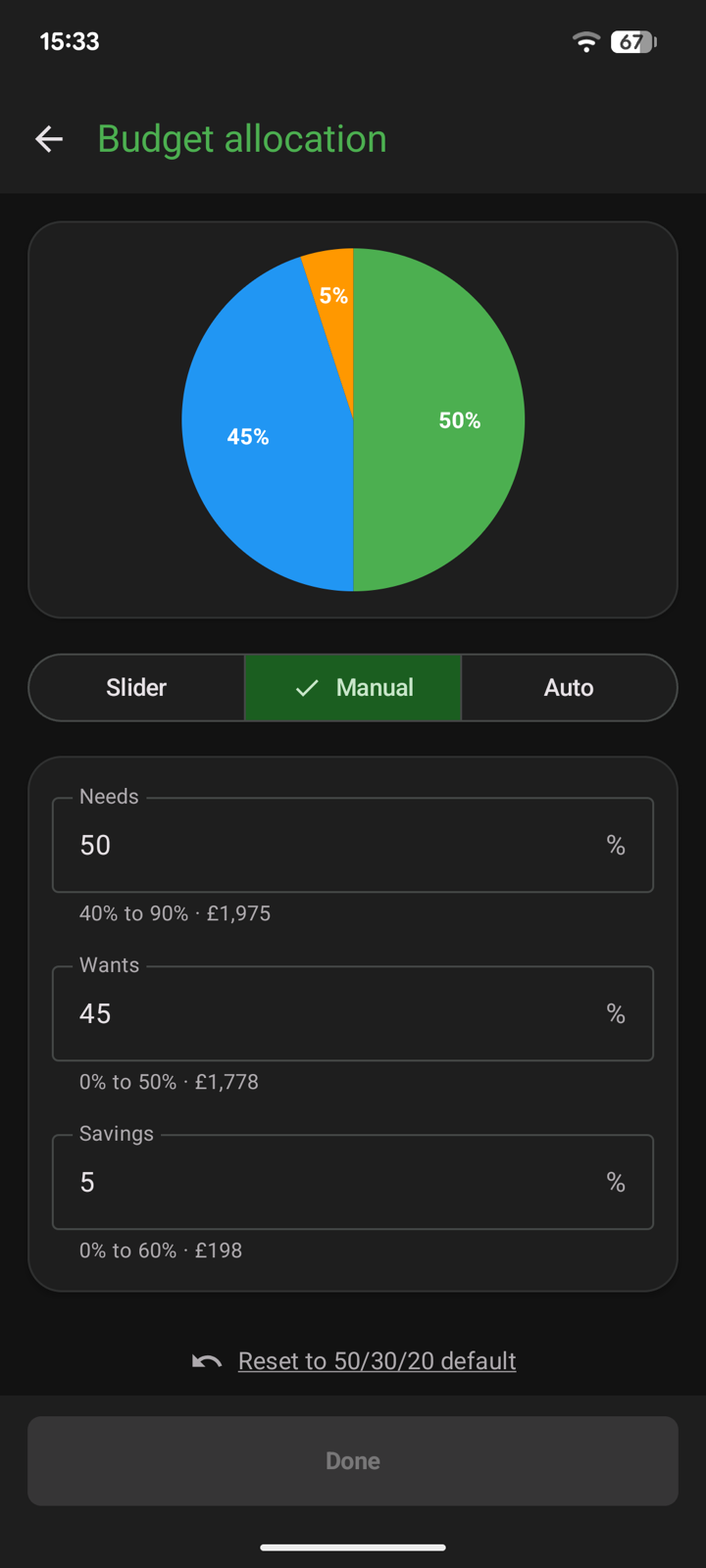
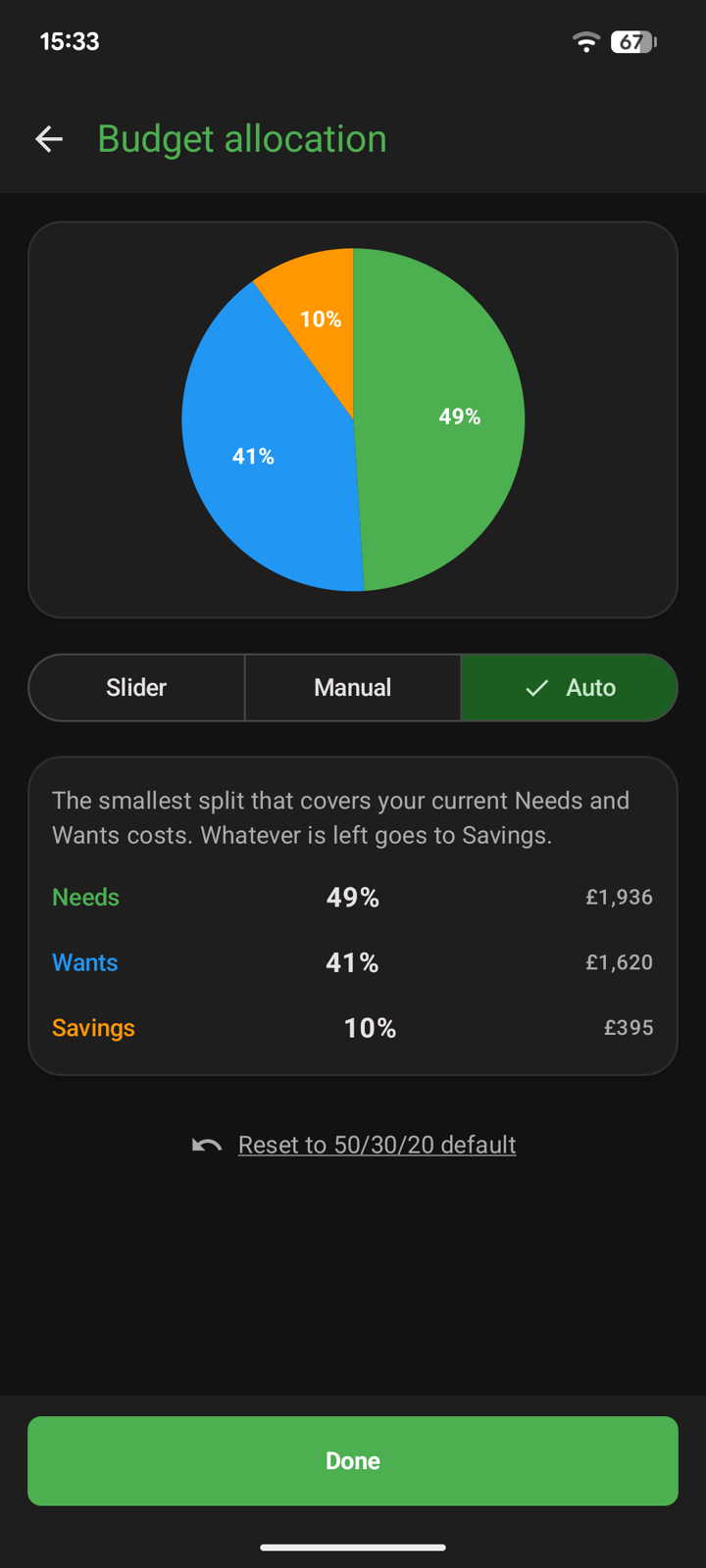
Start from the classic 50/30/20 rule, then adjust it with sliders, type exact percentages, or let Auto pick the smallest split that covers your current Needs and Wants and send the rest to Savings.
Import your bank statement
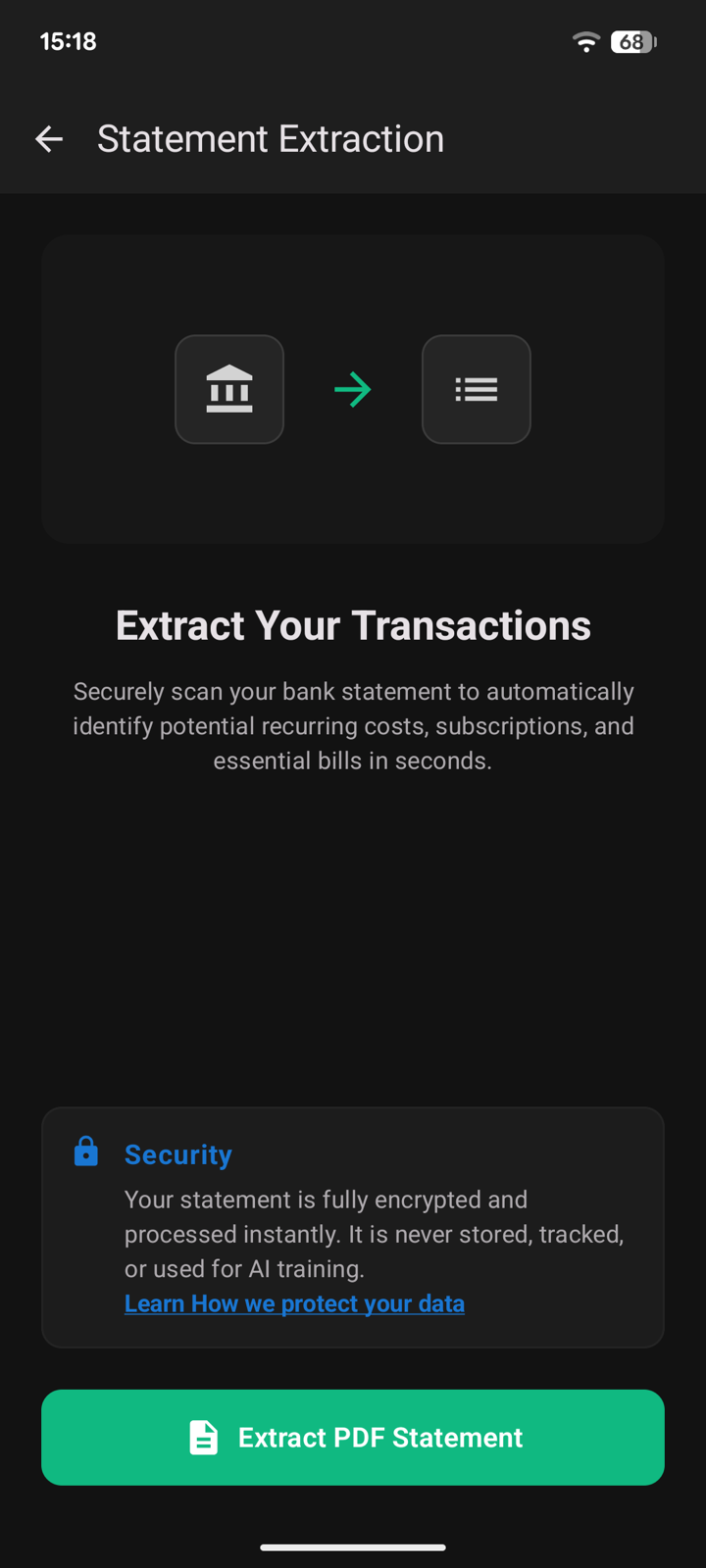
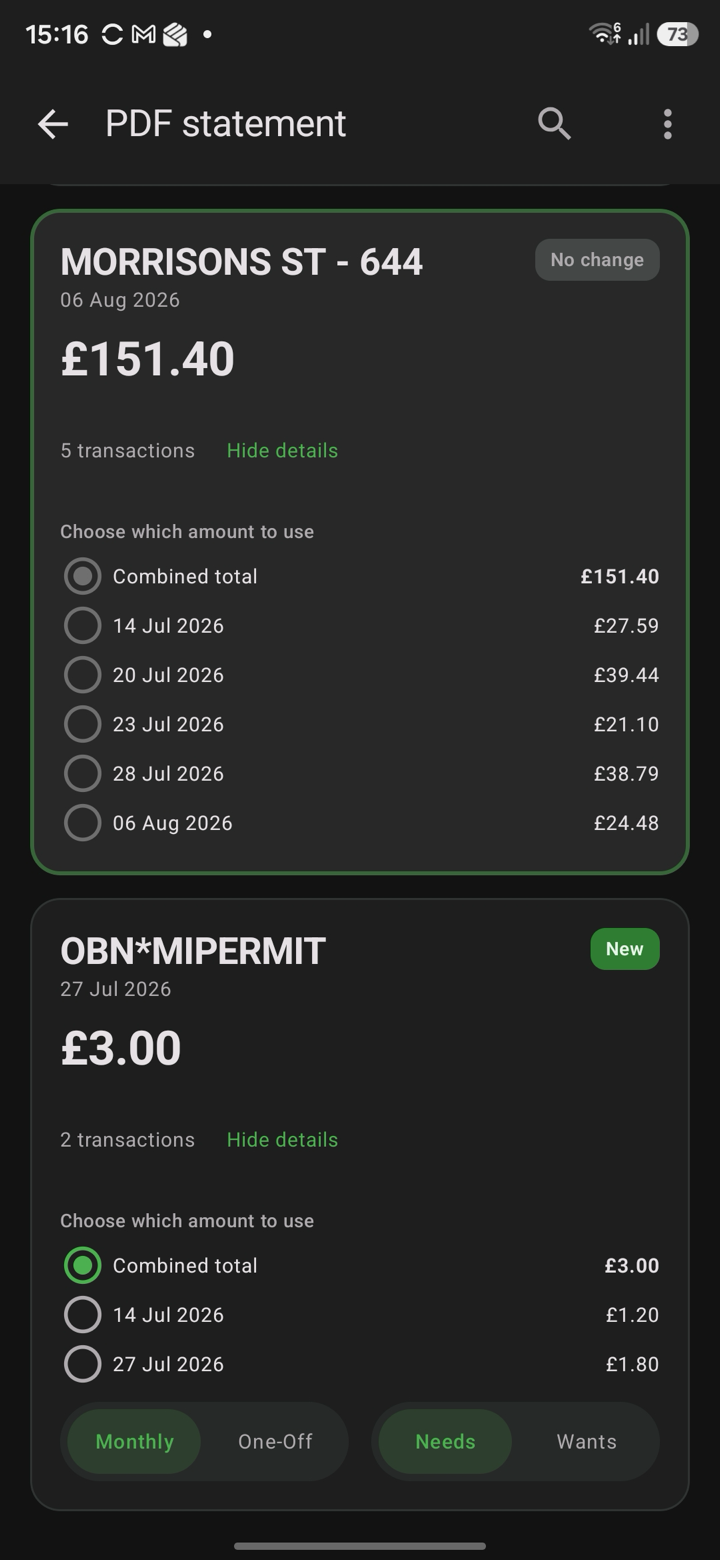
Share a PDF bank statement and Opisio picks out recurring payments, subscriptions and bills. Repeat payments to the same merchant are grouped — pick the combined total or a single payment, mark it monthly or one-off, Needs or Wants, and add it.
details
- Status
- Closed testing
- Version
- 1.0
- Requires
- Android 9 and up